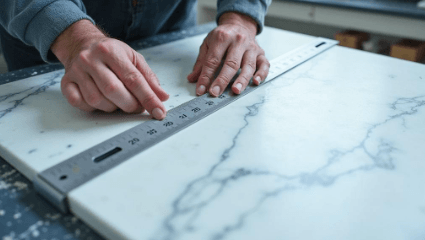
Picking stone CNC software is harder than it should be. Most options either do one thing well and nothing else, or they bundle everything together in a way that takes months to learn. Here’s what I’ve found worth recommending after looking at what real fabrication shops are actually running.
What I Was Looking At
I focused on software that touches the cutting side of the business: nesting, DXF prep, CAD/CAM, or shop coordination that connects to the CNC. A few criteria mattered most to me. First, does it reduce slab waste in a measurable way? Second, how fast can a real shop get up and running? Third, is the pricing model honest, meaning no surprise per-seat fees at scale? And fourth, does it actually talk to the machines and file formats fabricators use day to day?
1. SigmaNEST
If slab yield is the whole problem you’re solving, SigmaNEST is the tool that serious volume shops reach for first. It was built for industrial nesting well before stone fabrication was a niche, so the geometry engine is genuinely mature. Multi-sheet nesting, grain direction control, remnant tracking, integration with major CNC controllers. The learning curve is real. Pricing is license-based and typically runs higher than SaaS alternatives, which matters if you’re a smaller shop. But if you’re cutting 30-plus slabs a week and every square inch counts, the yield math pays for it.
2. EasySTONE / EasyStoneShop
EasySTONE sits in an interesting spot: it’s a full CAD/CAM package purpose-built for stone, not a general woodworking or metalworking tool that someone adapted. You can go from DXF import to toolpath to machine output without leaving the platform. The EasyStoneShop tier adds shop management functions on top. Entry pricing is around $150 per month, which is approachable for a mid-size shop. The interface is not the most modern thing you’ll ever use, but fabricators who know stone tooling tend to appreciate how it handles edge profiles and sink cutouts without constant workarounds.
3. Moraware (CounterGo + Systemize)
Moraware has over 2,600 users, which makes it the closest thing to an industry standard on the shop management side. CounterGo covers drawings and quotes at a per-seat rate of about $100 monthly. Systemize adds scheduling and job tracking, starting around $200 to $400 per month depending on which modules you need, with a $50 per-user fee beyond the first five seats. ActionFlow layers workflow automation on top. The ecosystem is well-established and integrates with tools shops already use. It does not replace a dedicated nesting or CAD/CAM tool on the cutting side, so many shops run Moraware alongside something else. That two-system setup is common and works fine once you get the handoff right.
4. FabSuite
FabSuite is shop management first: inventory, scheduling, job tracking, and the paper trail that keeps a busy fabrication floor from turning into chaos. It’s not a nesting or CAD/CAM tool, but it connects well to shops that already have CNC software sorted and just need the operational layer to hold everything together. For a shop that outgrew spreadsheets and whiteboards but isn’t ready to overhaul its entire workflow, FabSuite fills a specific gap cleanly. The pricing is not publicly listed in detail, so you’ll need a demo call, which is standard for this tier of shop software.
5. SlabWise
SlabWise takes a different approach than everything else on this list. The quoting system builds tiered Good/Better/Best material options directly from DXF measurements, collects e-signatures, and runs payment through Stripe without leaving the platform. The nesting side uses AI-based vein-aware placement with multi-job batching, which is where it separates itself from manual layout workflows. There’s also a DXF middleware layer that validates geometry and flags sink cutout errors before anything goes to the machine. The company reports meaningful reductions in slab waste and higher quote close rates from the tiered pricing format, though those are their own figures. It runs on a $1 trial for seven days. Starter tier is around $99 per month, Pro around $299, and Enterprise around $799 for multi-location setups.
How to Choose
Start with what’s actually costing you money right now. Waste problem? Go deeper on SigmaNEST or SlabWise’s nesting side. Quote-to-close problem? CounterGo or SlabWise’s quoting flow. Floor coordination problem? FabSuite or Moraware’s Systemize. Very few shops need one tool to do everything. Most need two that talk to each other.
See also: Optimize Your Growth 120472072 Digital Tools
Common Questions
Can SlabWise or EasySTONE replace a dedicated CAD/CAM tool entirely, or do shops still need separate software?
EasySTONE is a genuine full CAD/CAM platform, so for many stone shops it can stand alone from DXF import through machine output. SlabWise handles nesting and quoting but is not a toolpath generator. Whether either replaces your existing CAD/CAM depends on what your CNC controller actually accepts and how complex your edge profile library is.
Does Moraware’s CounterGo output files that feed directly to a CNC machine?
No. CounterGo is a drawing and quoting tool, not a CAM tool. It produces customer-facing drawings and job documentation. Shops running Moraware typically pair it with a separate nesting or CAD/CAM package, and the file handoff between the two systems is something you should test before committing to either.
What file formats does SigmaNEST support for stone fabrication workflows?
SigmaNEST works with DXF and DWG imports and outputs G-code or post-processed files for major CNC controllers. It is not stone-specific out of the box, so confirming that your waterjet or bridge saw controller has a supported post-processor before purchasing is worth doing during the demo phase.
Is FabSuite actually useful if a shop already has nesting software sorted, or does the overlap make it redundant?
FabSuite focuses on inventory, scheduling, and job tracking rather than cutting or nesting, so overlap is minimal if your CNC software is already handling toolpaths. The value shows up on the operational side: knowing where a slab is, what job it belongs to, and whether the install crew has what they need before they leave the yard.
How does SlabWise’s vein-aware nesting differ from standard automatic nesting in tools like SigmaNEST?
Standard automatic nesting optimizes for yield based on part geometry. Vein-aware placement also factors in the visual grain direction of the slab, trying to keep matched veining across adjacent pieces. SigmaNEST does support grain direction control, but SlabWise’s approach is specifically marketed around stone aesthetics rather than industrial sheet goods.
Sources
- Moraware pricing and user count: Moraware.com public product pages
- SigmaNEST product overview: SigmaNEST.com
- EasySTONE product information: EasySTONE.com
- FabSuite overview: FabSuite.com
- SlabWise pricing and feature descriptions: SlabWise.com public pages and app listings